SearchFind a store
Support for

Washing, Cooling & Organizing

Washing, Cooling & Organizing

Cleaning symbol wipe protection lit on display

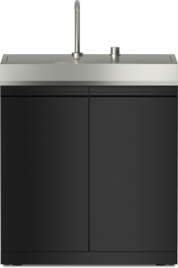
The cleaning symbol wipe protection lights up on the display of the Cool outdoor kitchen module. The refrigeration appliance cannot be operated.

Cleaning mode is still switched on.

Tap the OK Confirmation sensor control on the control panel to switch cleaning mode off.

wipe protection will appear on the display.

Tap OK Confirmation.

When cleaning mode wipe protection is switched off, the dot in the upper corner of the display disappears.

Use the Left arrow or Right arrow sensor control to scroll to the Back arrow symbol and tap OK Confirmation.

The refrigeration appliance will start cooling again.

Operating Instructions finder

Operating Instructions finder

Here you will find the operating instructions for your Miele appliances
Find your manual
Book a technician

Book a technician

We are happy to take your repair booking online or by telephone
Plan a visit
Contact us

Contact us

Visit our Contact us page to see the different ways you can speak to us.
Contact us