The cookware is in energy-saving mode.
Touch one of the non-illuminated sensor controls.
All sensor controls are illuminated.
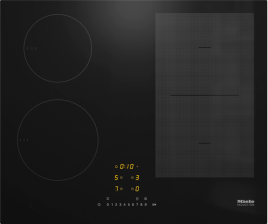
The sensor controls on M Sense cookware are not illuminated.
Touch one of the non-illuminated sensor controls.
All sensor controls are illuminated.
Switch on the cookware.
Hob with more than one slider:
Place the cookware on the hob.
If the hob is switched off, touch On Off Hob on/off.
Touch Standby Cookware on/off within 10 seconds.
All OK Confirmation OK with cookware will flash.
On the hob: within 10 seconds, touch OK Confirmation OK for the M Sense cookware that is switched on.
All cookware sensor controls are illuminated.
The corresponding cooking zone display/cookware display shows A.
Hob with one slider:
Place the cookware on the hob.
If the hob is switched off, touch On Off Hob on/off.
Touch Standby Cookware on/off within 10 seconds.
Cookware displays with cookware will light up.
On the hob: within 10 seconds, touch the cookware display for the M Sense cookware that is switched on.
The cookware display for the corresponding cookware lights up brightly. Other cookware displays light up dimmed.
Touch OK Confirmation OK on the hob.
All cookware sensor controls are illuminated.
The corresponding cookware display shows A.
Commission the cookware (see the “Commissioning” section of the operating and installation instructions for your hob).
Replace the batteries.
M Sense frying pan
Screwdriver (PH 2)
2 batteries (Murata CR2477W or Panasonic CR2477/BN)
A clean, soft and level surface is available.
Turn the cookware over so that the underside is facing up.
Set the cookware down on the surface.
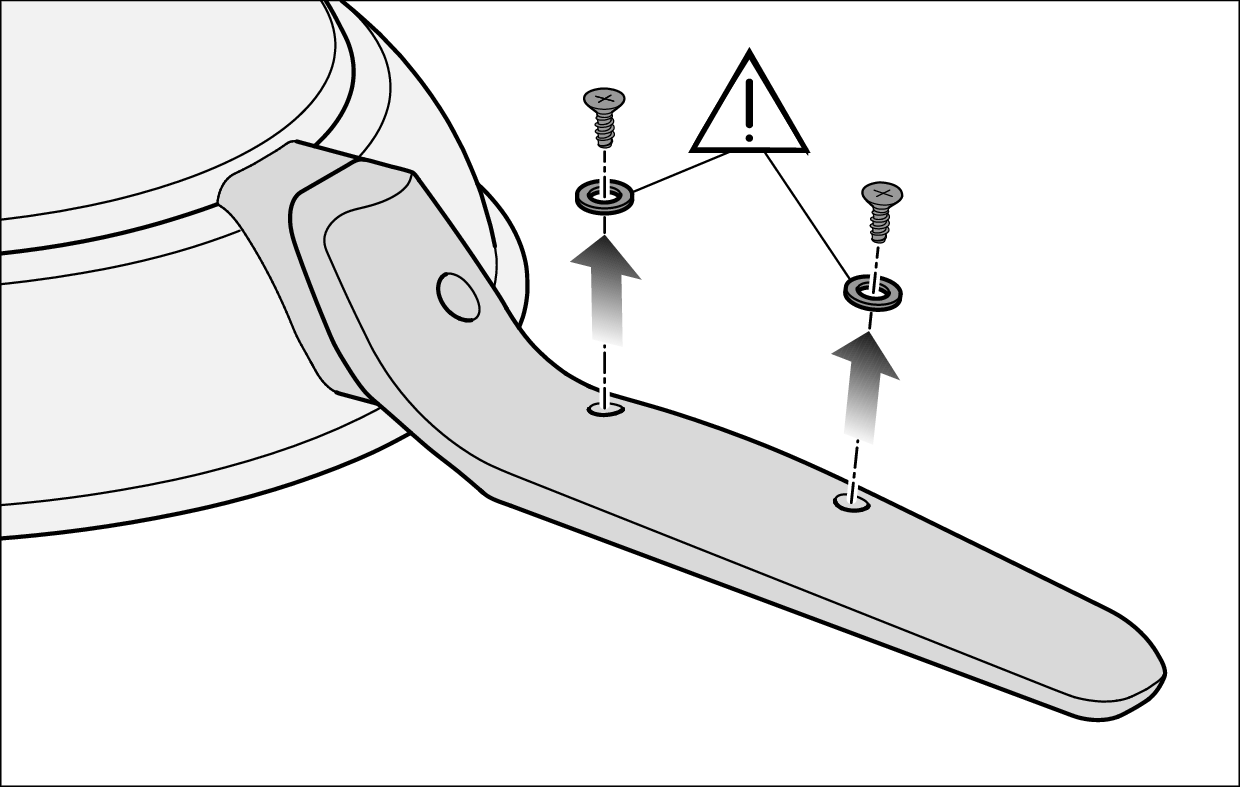
Unscrew the screws under the handle completely and put them to one side with the seals.
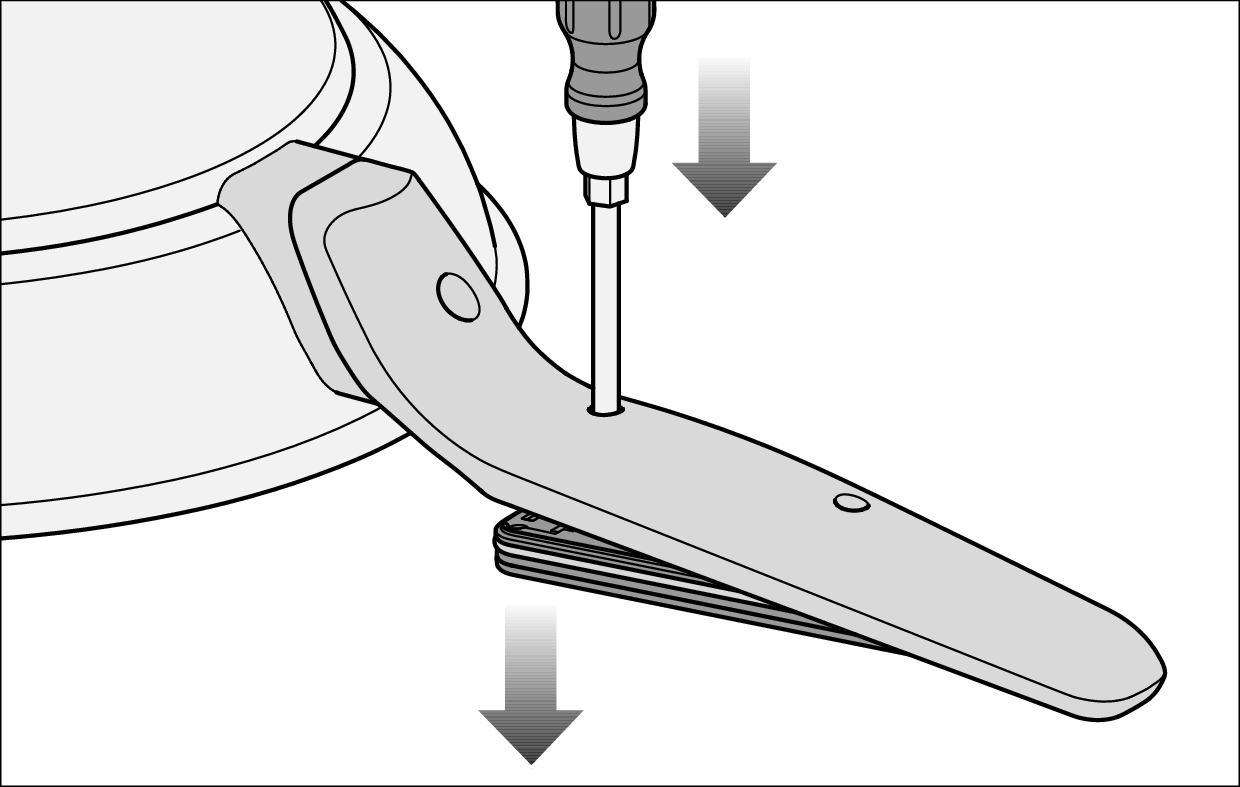
Insert the tip of the screwdriver into the empty screw hole closest to the bottom of the pan.
Press down on the screwdriver.
This will push the cover out.
Hold the cookware firmly by its edge and turn it over so that the underside is facing down.
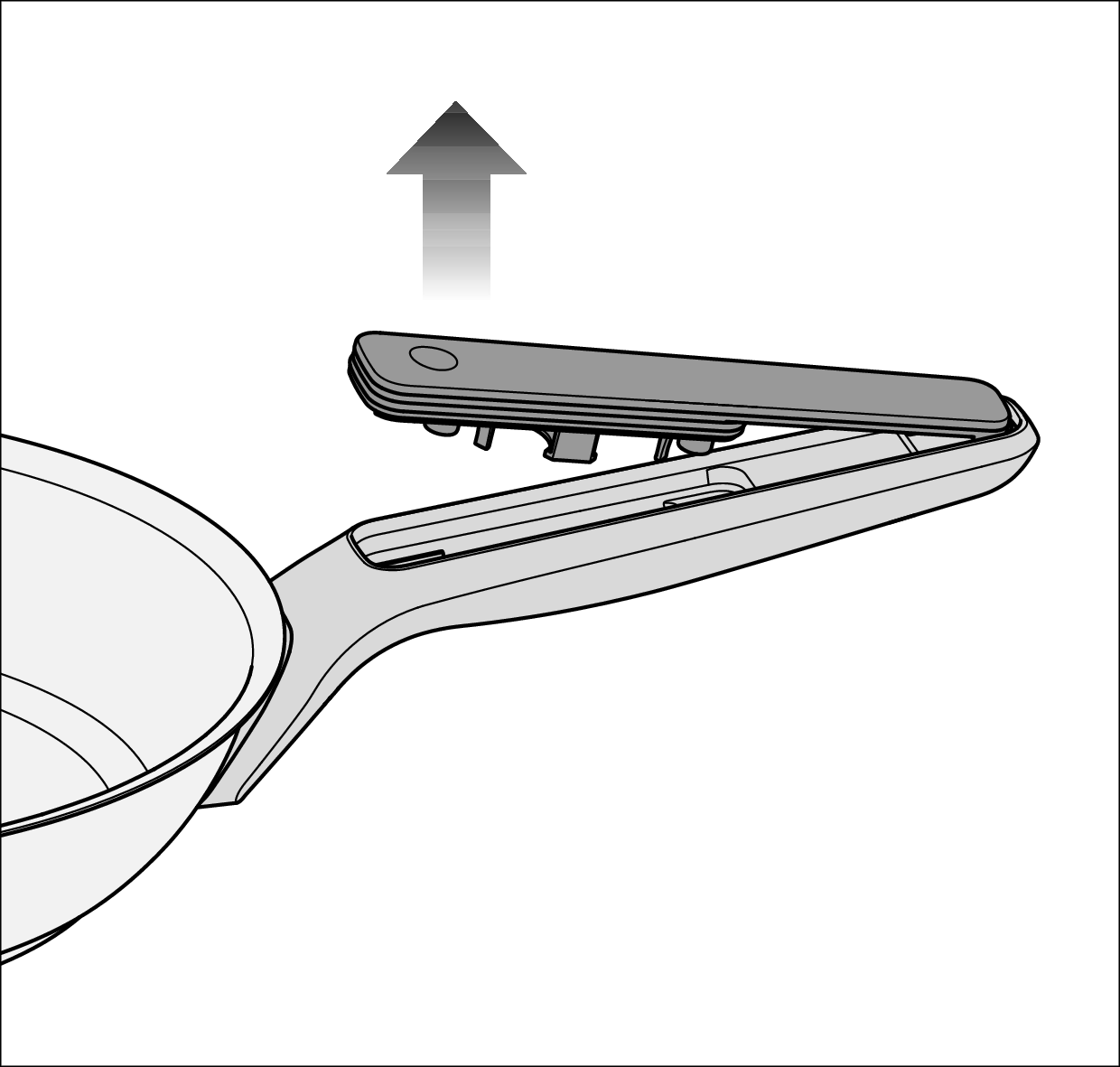
Pull the cover off towards the edge of the pan.
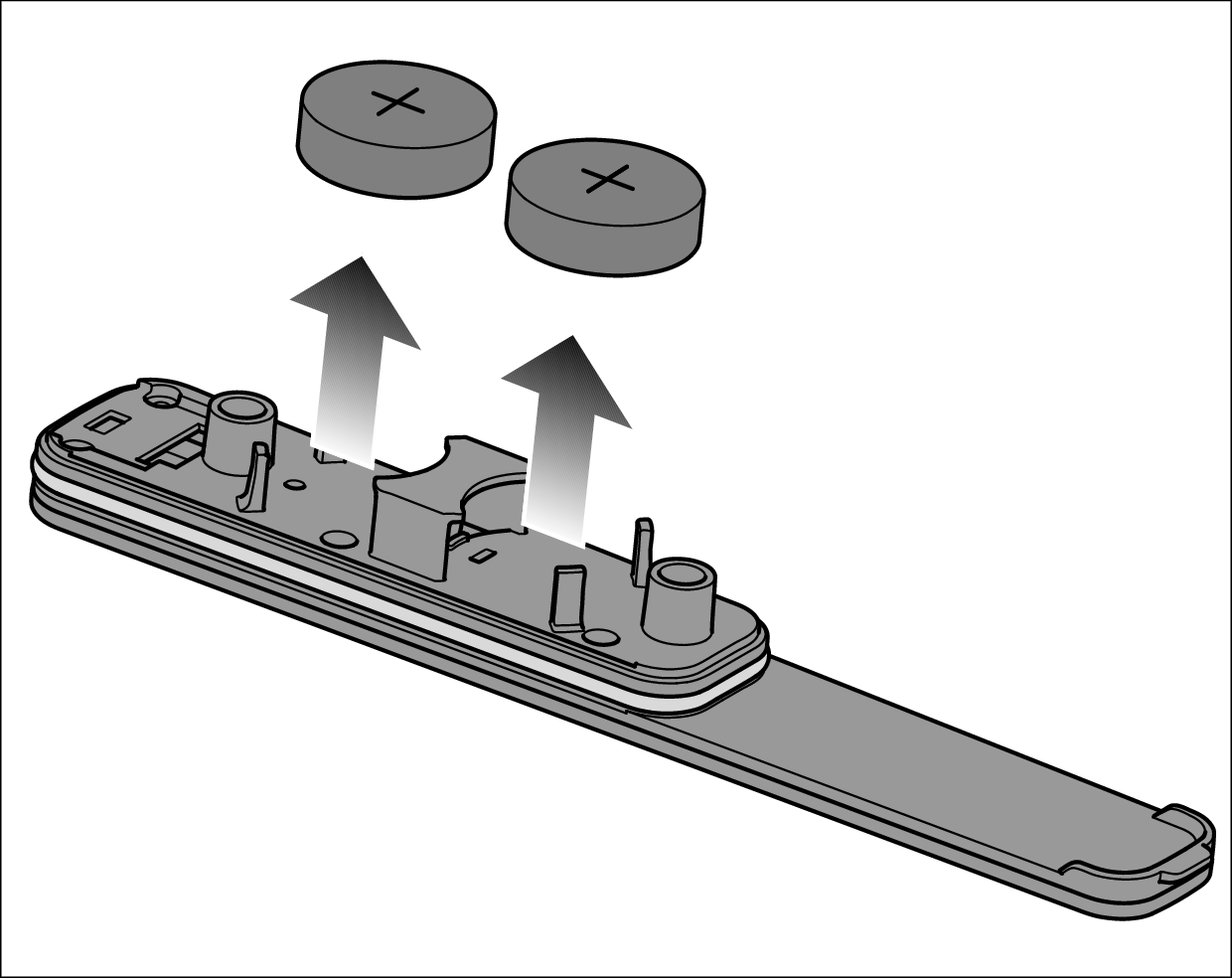
Remove the batteries from the cover.
Insert 2 new batteries into the holders. The positive terminal (+) must point outwards.
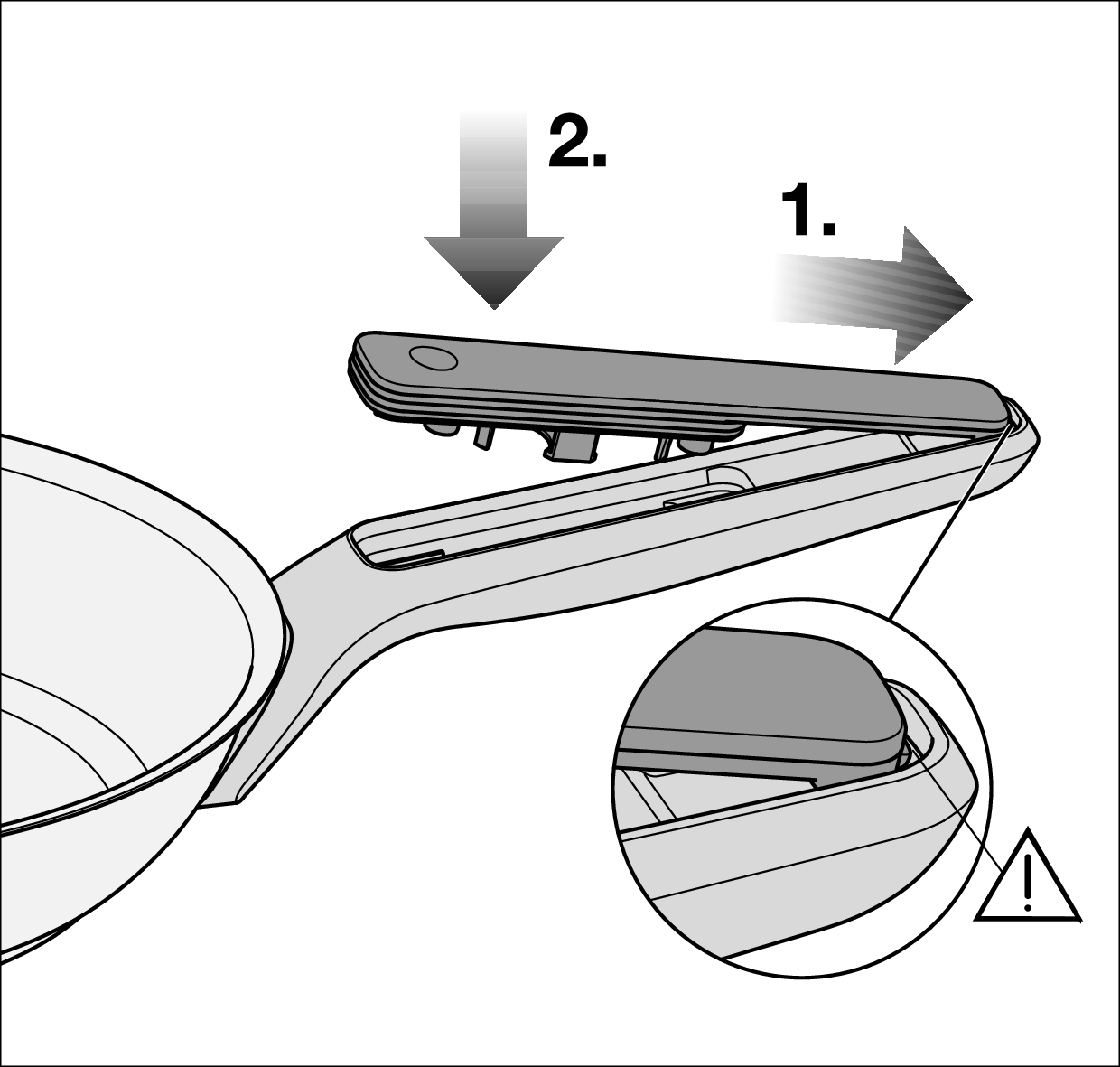
1. Push the cover back into the holder so that the retainer slides into the holder.
2. Press the cover onto the handle.
Fit the screw seals and the screws in reverse order.
M Sense pot
Screwdriver (PH 1)
2 batteries (Murata CR2477W or Panasonic CR2477/BN)
A clean, soft and level surface is available.
Turn the cookware over so that the underside is facing up.
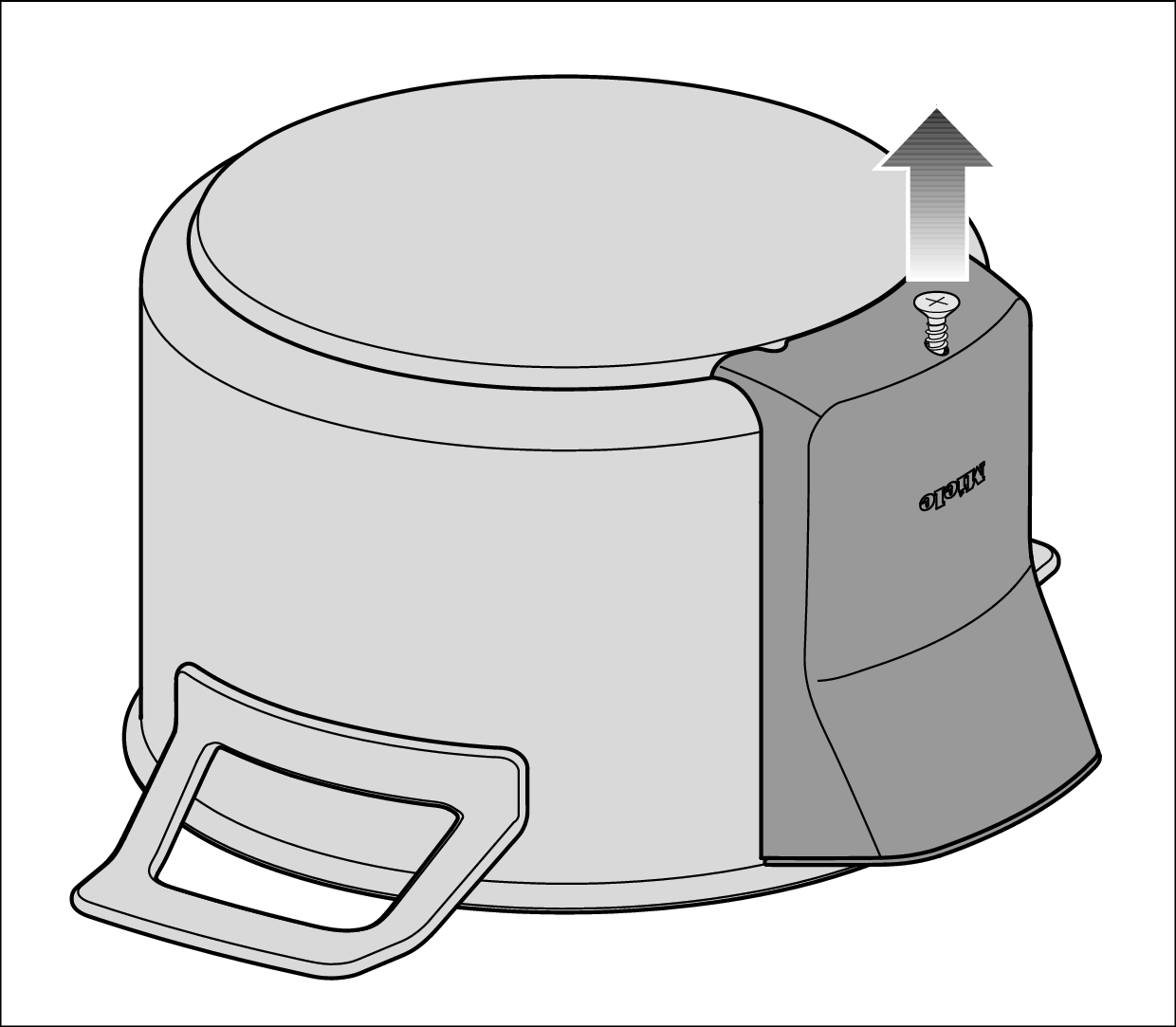
Unscrew the screw under the cover.
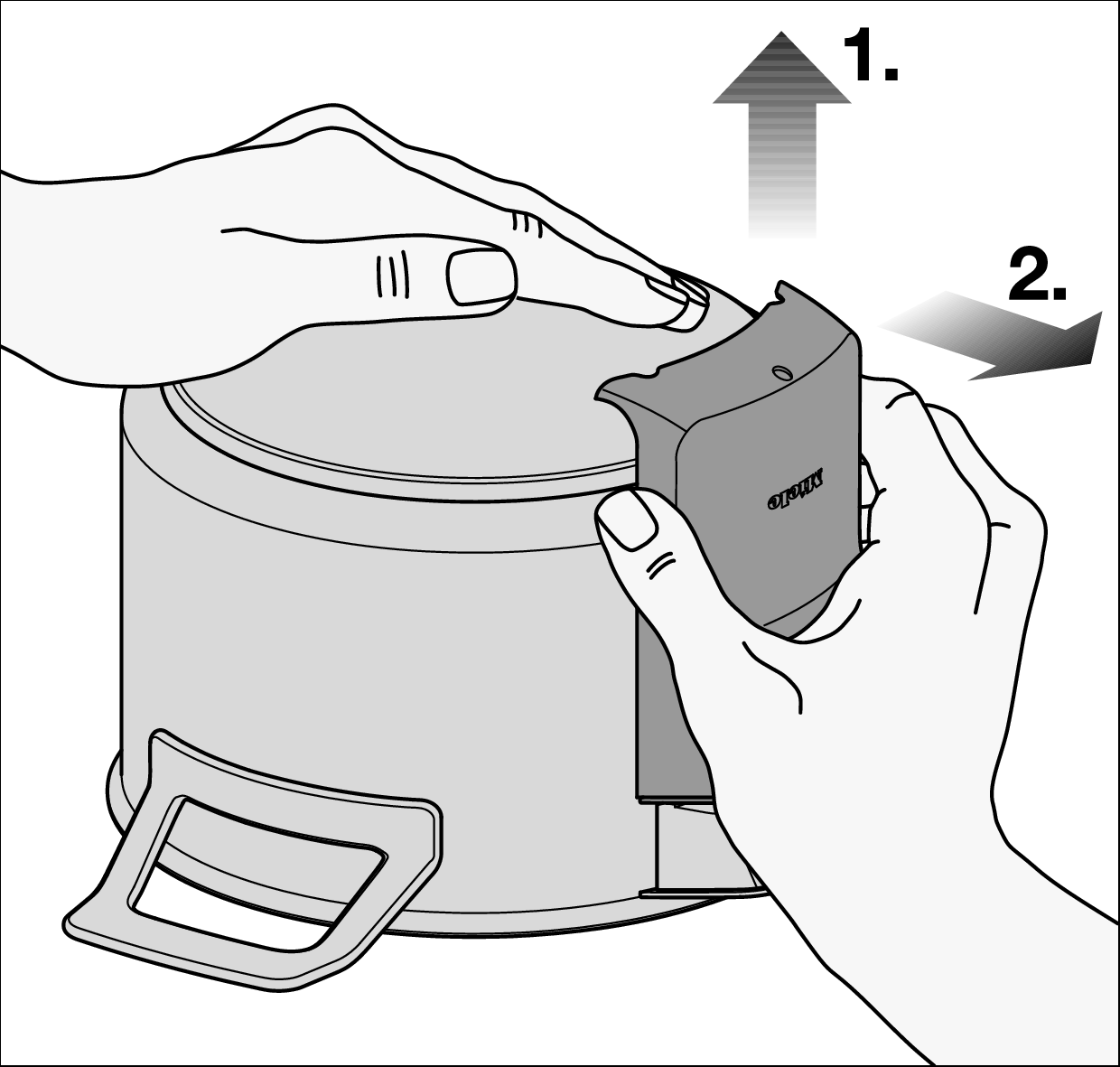
Press down on the underside of the cookware with your hand.
1. Pull the cover up.
2. Pull the cover forward and off.
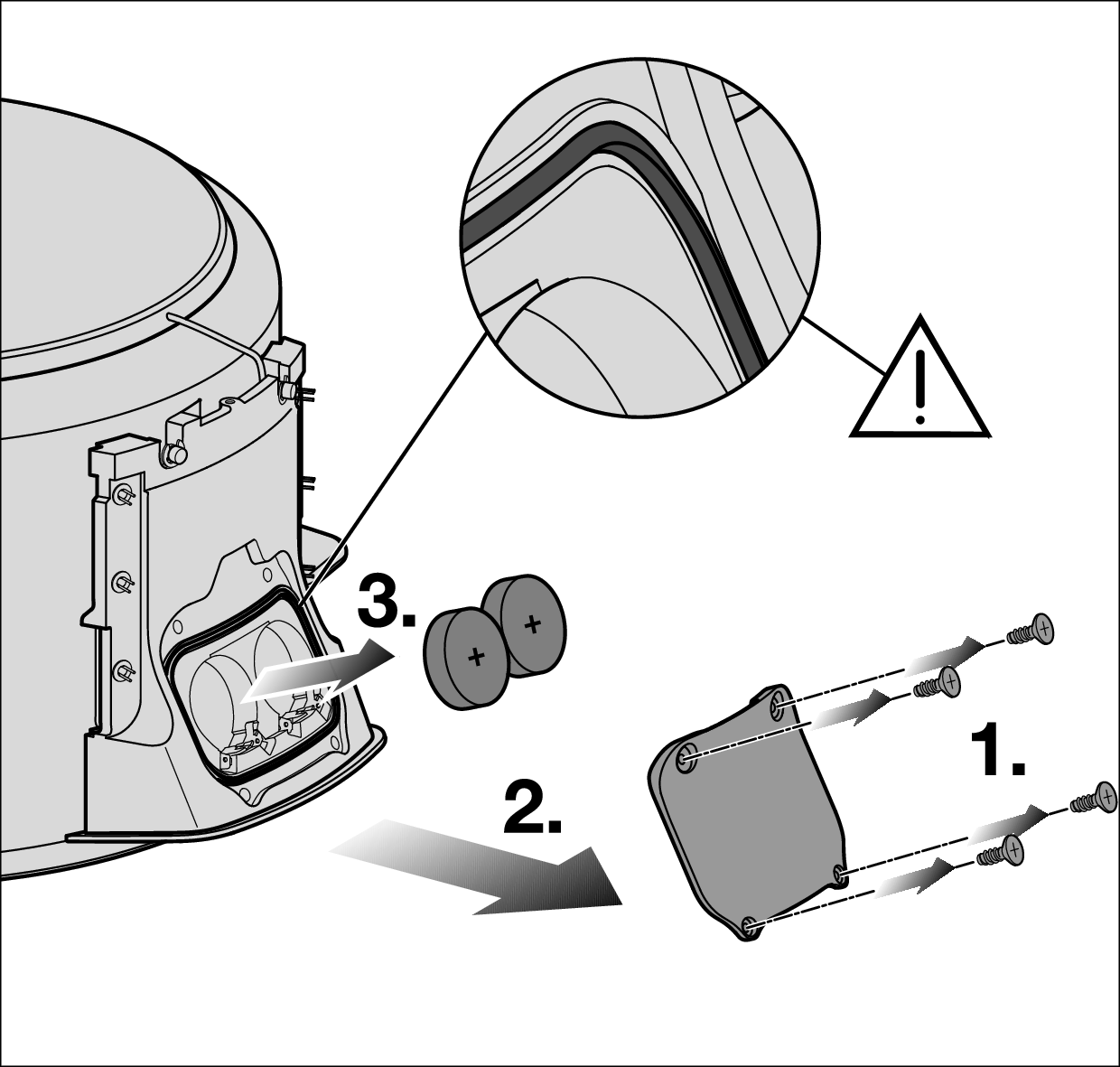
1. Unscrew the 4 screws from the battery compartment cover.
2. Remove the battery compartment cover.
3. Remove the batteries.
Insert 2 new batteries into the holders. The positive terminal (+) must point outwards.
If deposits have formed behind the cover of the battery compartment, remove the deposits with a cleaning cloth. Deposits will not affect the functionality of the cookware.
Refit the covers and screws in reverse order.


